
Quick Base Junkie Blog
Short videos and posts to skyrocket your Quickbase skills!
Get tips in your inbox
Join the Quick Base Junkie Community email list!
 Empower 2026: AI, New Leadership, and Sessions Worth Your TimeWhen I look at the agenda for Quickbase's Empower 2026 event in Houston, my first reaction is excitement (followed by a little bit of overwhelm 🤪). There's a lot happening around AI in particular, and as someone who lives and breathes Quickbase, I want to
 The Grid Report Survival Guide: How to roll it out safelyGrid Reports are Here! Quickbase recently released Grid Reports, and let me tell you, this is a BIG deal. 🎉 If you've been wishing you could edit records directly in your reports without all the clicking around... your wish just came true! ✨ But here's the thing...
 Making Quickbase Stick! How to Drive AdoptionIntroducing new technology at work can feel a lot like convincing your family to try a new restaurant. Some are excited to explore the menu, others are skeptical, and at least one person insists that their usual place was just fine. When it comes to
 A New Qrew Legend Has Been Crowned! 👑It's official... I'm incredibly honored to share that I've been named the 2025 Quickbase Qrew Legend Award winner! 🏆🎉 As only the second recipient of this rare honor, I'm incredibly proud to be recognized for significantly contributing to the success of the Quickbase community through
 Think Like a Professional Developer (Even When You're Not One)Quickbase is an incredibly powerful platform that enables businesses to build and manage custom applications often without needing a full-time developer. However, there's a difference between simply using Quickbase and truly thinking like a professional Quickbase developer. Understanding how to approach app building with the
 How to Write Better Requirements for QuickbaseBuilding a Quickbase app that truly meets your needs starts long before you log in and start building tables and relationships. The foundation of a successful Quickbase project is well-defined requirements. Clear, structured requirements save time, reduce costly rework, and ensure your app is aligned
 Not a Project Manager? That's Okay | Managing an App BuildBuilding a Quickbase app isn't just about creating tables, setting up relationships, and automating workflows—it's about delivering a functional solution that meets business needs on time and within scope. That's where project management comes in. Without a structured approach, Quickbase builds can easily spiral into
 How to Spot a "Green Flag" Quickbase ConsultantWe've all heard about red flags 🚩 Those ominous warning signs that tell you something (or someone) is about to make your life miserable. But what about green flags? You know, the signs that things are going well, that you're in good hands, and that
 Hiring a Quickbase Consultant | Are YOU prepared?So, you've decided to work with a Quickbase consultant or developer—great choice! Whether you need a brand-new app, automation improvements, or advanced reporting, an experienced Quickbase professional can help you get there faster and with fewer headaches. But working with a consultant is different from
 EmpowerPro Pipeline Qrew Recap & ResourcesHopefully you caught my presentation LIVE at EmpowerPro! Initially Quickbase did not plan to record this session... but Ben Simon worked his magic ✨ So now, I'm able to share the video AND all of my notes! 🎉 At this event I shared a peek into one
 Simple Solutions: Top 5 Simple Pipeline Hacks for QuickbaseI've been working with Pipelines for a while now and by necessity, or by accident, I've come across a number of hacks that have saved me time and/or have increased the pipeline's functionality. Here are my Top 5 Simple Pipeline Hacks! #1 Copy/Paste Fields When
 Quick Base Junkie's Tips & TricksRedirecting to Quick Base Junkie's Tips & Tricks!
If you aren't automatically redirected, click here.
Quick Base Junkie's Tips & TricksRedirecting to Quick Base Junkie's Tips & Tricks!
If you aren't automatically redirected, click here.
 Mini Pie Charts for Table Reports in QuickbaseData visualization is kind of a big deal, which is why Quickbase dashboards are so useful! However, the most commonly used area of Quickbase is table reports. So, how do you have your cake and eat it too? 🤔 Or rather, how can you visualize
 Multi File Upload Plugin for QuickbaseLast year Quickbase unveiled the new File Manager plugin, and let me tell you, it is AWESOME. 🤩 If you have a workflow that requires multiple attachments for a single record this plugin is for you! Now, I'll be honest... I missed the initial release
 Build Apps Fast with the AI Smart Builder in QuickbaseIn this video, we're diving into Quickbase's AI Smart Builder. I recently had the opportunity to participate in a Quickbase webinar, and the insights I gained left me eager to try the new app building tool myself. 😃 Quickbase has always empowered builders and citizen
 Send Email Notification to Multiple fieldsIt's not uncommon to have multiple User or Email fields in a table. But the Notification menu only allows you to choose one field. Unless you know this little trick! 🤓 In your Email Notification: Select "A specific list of users..." In the box that
 Hide the Users Page in the Table BarOften users don't need (or shouldn't have) access to the Users Page where they can see all the other users, view & modify their roles, and invite other users to the app. In a new app, the standard Participant role automatically has the Users Page
 First Name First in User fieldsWhile I'm sure having the last name displayed first on a user field can be useful in a variety of circumstances... what if it's just not working for you? If you prefer to see the first name first, like I do, change it! The display
 What's the NEW Pipelines Designer?Are you curious about the new Quickbase Pipelines Designer (currently in beta)? Me too! I was recently building a pipeline for a client, and I decided to take advantage of the new pipeline designer. While doing so I got to try out some of the
 Import from ClipboardSometimes, I just find it easier to use Excel when I'm organizing data to add to Quickbase. In this example, I copied some notes I had into an Excel spreadsheet so that I could organize them before adding them as records to Quickbase. Rather than saving
 Drilldown SettingsI don't make this change nearly as often as I should! 😱 When you create a summary field it is automatically linked to the records it is summarizing. This makes it easy to click on the value and "drilldown" to the related records. HOWEVER... The
 Remove Link on Lookup FieldsIt's time to put an end to the frustration my friends! Every now and then I click to open a Quickbase record in a table and inadvertently click on a link that opens the parent record and not the record I was trying to open. 😡
 My #1 Formula Shortcut for QuickbaseWhen I first saw this tip I couldn't believe my eyes 👀 It has literally changed the way I write formulas and in the process made me much more efficient! Using a simple Ctrl + click in multiple locations, I can place multiple instances of
 Simple Solutions: Toggle Switch for New/Old Forms in QuickbaseI'm sure you're familiar with the handy toggle that allows you to switch between new and old style reports. That handy toggle, proudly adorned with a green check mark and the words "New Style," allows you to switch to the old style of a report
 Updates, Announcements, & Teasers - Empower 2023Quickbase Product Updates, Announcements, and Teasers... Plus my take on how they missed the mark with this year's format 😧 The focus of the event's keynote was Dynamic Work Management. It's the superhero, swooping in to save us from the clutches of ad hoc "make
 Rogue Reports? How to find ALL Reports in QuickbaseIf you've ever found yourself scratching your head, wondering why you can't locate a particular report... You're not alone! 😝 Quickbase can be a bit tricky when it comes to accessing all reports. When you navigate to the Report menu on a table, you
 5 Tips to Improve Report Performance in QuickbaseAre your Quickbase reports loading as slow as the line at Starbucks at 8am on a Monday? Or at least as slow as the line feels when you haven't had your venti four-shot hot soy latte (no? just me?). Fear not my friend! I've gathered
 7 Ways to Improve User Experience in QuickbaseAre you tired of clunky, poorly designed Quickbase applications that leave you feeling frustrated and defeated? Well, fear not my friend! In this post, I'll be covering seven ways to improve the user experience for your Quickbase applications. From dashboards to automated workflows, I've got
 Quickbase Gantt Plugin Questions AnsweredHello, my Quick Base Junkie friends! I've recently released a video on how to set up and install the new Gantt chart plugin and there have been two questions that I've been seeing repeatedly asked about this new plugin. The first is: "Do I have
 Got big projects? Get the Gantt Chart Plugin for QuickbaseQuickbase Gantt Charts just got a BIG upgrade! Gantt charts (or Timeline reports as they're called in Quickbase) are a type of project management tool that is used to visualize the timeline and progress of tasks within a project. They display tasks as horizontal bars
 7 Traits of Highly Effective Quickbase BuildersQuickbase is a powerful platform that allows businesses to create custom databases and applications to manage and automate their workflows. But in order to make the most of Quickbase, it's important to have highly effective builders who understand how to use the tools and features
 Simple Solutions: Error Message with Link to ResourceCustom Data Rules are a great way to create custom error messages that help the user resolve the issue. But did you know you can also embed a custom link into the error message to give them even more assistance? Yep, you sure can and
 Magical Mini Query Tables in QuickbaseRelational databases like Quickbase are great and I'm obviously a fan! But... Because there are so many tables and layers of data, sometimes it can be hard to see what you need to see at a glance. Take this relationship for example: Accounts < Opportunities
 Simple Solutions: Display Choices in Bullet or Numbered ListBeing able to select several items from a list is super handy. However, they don't always look that great when printed, emailed, or even viewed on the record. That's where HTML can come to the rescue! HTML can seem a bit daunting, but we only
 Dazzling Dashboard KPI Widgets in QuickbaseI was recently asked by a client of mine, "Is there much in the way of good KPI Widget documentation out there aside from the conference videos? I just can't seem to find much out there." He wasn't missing something. How to add the bold KPI
 5 Old to New Dashboard Navigation Tips for QuickbaseCreating navigation between the 'old' style Home Pages and the 'new' Dashboards can be a pain. The options are different, not all pages are available where you'd expect them, and links don't always go where you want them to! After working with Dashboards for a
 Quickbase Product Sneak Peek at Empower 2022The best part of Quickbase's annual Empower event is the Product Keynote and associated product sessions. These sessions allow us to look behind the curtain and see what the mad scientists (aka Product Managers) at Quickbase are cooking up. This year did not disappoint! Watch
 Quickbase Empower 2022 Update with Special GuestsThe incredible people at Quickbase invited me to participate in a LinkedIn livestream to talk about the upcoming #Empower2022 event. This year's theme: Build Your Career, Build Your Community, Build Your World Build your Career. Grow your skills in hands-on sessions that will help you turn
 3 Types of Cumulative Sales Charts (using formula queries)My inbox has been flooded with requests for this information! Whether it's sales $, hours worked, or customers entered – being able to see cumulative totals month over month can be an invaluable management tool. However traditional Quickbase reports only allow records to be counted
 Simple Solutions: Super Easy YOY Chart by MonthA Year-Over-Year (YOY) chart can be critical to making sound business decisions, but you may feel like it's a "why-oh-why is it so hard to build in Quickbase" chart. This type of chart shows a summary of data, such as sales, for several years overlapped
 Simple Solutions: Disable Role From Deleting an AttachmentNot long ago, a client of mine asked me how to disable specific user roles from deleting attached files. The challenging part... these users would still need permission to add attachments. This meant they had to have 'modify' access to the attachment field. While I
 Simple Solutions: How To Require a File Type for AttachmentsIt's not uncommon to have an attachment field included in your Quickbase apps. But what do you do when you need users to upload SPECIFIC file types into that field? The Attachment field does not have options to set what file types are acceptable, so
 Easy Metrics table Using Formula QueriesBack in the day, one of my responsibilities was to report out on my department's performance over the prior week. The report-out meeting with the SLT (Senior Leadership Team) took place on Monday afternoons. That meant I had to scramble all Monday morning to gather
 Running Total with 'SumValues' Query FunctionRemember what it was like to manually balance your checkbook? Thank goodness that is a thing of the past! (unless it is the sort of thing you enjoyed, then keep at it my friend) Even though checkbook registers are a thing of the past, it's
 Rank Records Using the 'Size' Query FunctionRanking, Ordering, Counting, or Numbering Quickbase records according to your own criteria (and not the Record ID#) is a not-so-easy task. Until now! With the "Size" formula query function, it's possible to do with just one formula. And did I mention, NO relationships are required.
 Oh So Fantastic Formula Query FunctionsFormula Queries will forever change the way Quickbase builders build apps. Since the dawn of Quickbase time, table-to-table relationships have been required to aggregate data from one table into another – unless you invested in fancy custom code. Consider that a thing of the past!
 Query Writing 101 for QuickbaseI'm willing to bet you've created more than one report with filters specifying which records you want the report to include. That filter... That's a query! When you build reports in Quickbase, you have an easy interface to construct your query, so you probably don't
 Quiz: Test your query writing knowledge!How good are your query writing skills? Step right up and test your Quickbase query writing knowledge. This quiz contains 10 query-centric (multiple choice) questions. Get 8 right to pass as a Query Pro. Get all 10 right and claim your title as Query Master!
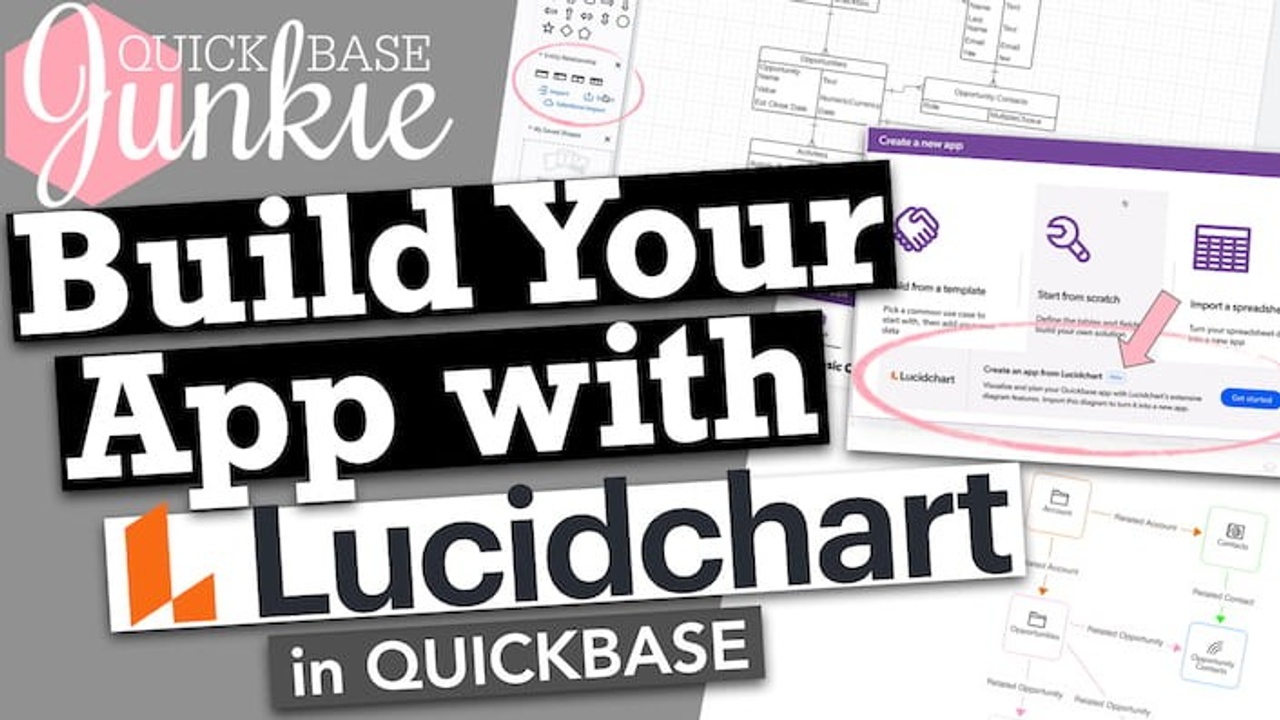 Build Your Quickbase App with LucidchartQuickbase + Lucidchart = MAGIC ✨ At Empower 2021 a partnership between Lucidchart & Quickbase was announced. I was in disbelief that you could draw an app diagram in Lucidchart that would easily convert to a functioning app in Quickbase. Today I'm a believer and you
 Did you know text formulas could do this!What can you do with text formulas? ⭐️ Extract characters from a text string leaving just the part that you need ⤏⤏⤏ Functions such as: Left, Right, Mid, NotLeft, NotRight, and Part ⭐️ Combine text from fields or text strings to produce lists, summaries, and
 Time Zone Troubles? Fix it with Jinja in Quickbase PipelinesThis demo predates the new Pipeline Designer. For writing Jinja, the process is similar, but you'll need to click on the </> code icon first. To follow along in the old designer, toggle OFF the "Pipeline Designer" at the top of the screen. Accessing the
 Why I won't use this Jinja Template in PipelinesUsing Jinja in my Pipelines has been a game-changer! Hands down, writing Jinja templates is one of the best skills I've learned. But... There's one "popular" template that I refuse to use. It's the {{ time.today }} template. While it may seem like a wonderful way
 How to Access the Current Date or Time in PipelinesThis demo predates the new Pipeline Designer. For writing Jinja, the process is similar, but you'll need to click on the </> code icon first. To follow along in the old designer, toggle OFF the "Pipeline Designer" at the top of the screen. It's pretty
 Adjust dates in Quickbase Pipelines using JinjaThis demo predates the new Pipeline Designer. For writing Jinja, the process is similar, but you'll need to click on the </> code icon first. To follow along in the old designer, toggle OFF the "Pipeline Designer" at the top of the screen. Relative dates
 New to Quickbase Pipelines? Let's take a tour!If you're just getting started with pipelines and don't yet know you're way around the interface... join me on this tour! I'll walk you through what's what in the Pipelines interface. Before the tour begins, set up your Pipelines access if you haven't already. Stops
 New to Quickbase Pipelines? Let's get set up!If you've never used Pipelines before and aren't sure where to start – this video is for you! To begin using Pipelines, I'll walk you through the setup in these areas: The Admin Console Your My Preferences The Quickbase Pipeline Channel Steps to enable Pipeline
 Quiz: How well do you know relationships in Quickbase?Pop Quiz! How many questions can you confidently answer? Step right up and test your Quickbase relationship knowledge. This quiz contains 20 relationship-centric (multiple choice) questions. At the end of the quiz, you will be asked to provide your email address to view the results.
 3 Time-Saving Action ButtonsAre you guilty of downloading the Action Button Toolbox, but not using it? You could blame it on the dog (I know first hand these furry distractions are no joke). 🐶 Or, follow along and add one or more of these three action buttons today.
 AMAZING URL & Button Features in QuickbaseAre you using URL & Rich Text Formula fields? In the past, some of these features were only possible using Javascript. Now, they're built into the field settings! In this video, I demonstrate how to use 3 AMAZING new URL & button features. What are
 Add Style & Function with HTML Formulas in QuickbaseWhy use HTML in Quickbase formulas? If you're looking for a way to add extra function and style to your Quickbase apps, what you're actually looking for is HTML formulas. HTML formulas combine the power of formula functions with the visual appeal of HTML (and CSS) resulting
 Quickbase Keyboard Shortcuts | 21+ Time SaversWho doesn't love a good shortcut! I use keyboard shortcuts on the regular whether it's in Quickbase or other applications. Below I've gathered useful shortcuts for working with Forms, Date Fields, Rich Text Fields, Text, and a few bonus Browser shortcuts too! Have some shortcuts
 What is Jinja? (for Quickbase Pipelines) What is Jinja? Jinja is a templating language for Python programming. And if you're already confused... that's okay. In the simplest terms, Jinja is the language we use to write powerful formulas inside of our Quickbase pipelines. Why use Jinja in your Pipelines? Jinja allows you
 Find it Fast! Add a Search Box to Forms in QuickbaseIf you have parent records with LOTS of children add a search box to the form to make finding the 'right' record easy! It can be frustrating (and eye-straining) to sift through page after page of information looking for a specific record. Adding search functionality
 9 Ways to Use HTML in QuickbaseWorking with HTML in Quickbase can be a bit tricky, but the payoff is HUGE! HTML & CSS can be used in a variety of ways in several locations throughout Quickbase. In legacy form text elements In rich text fields In rich text formula fields In
 Don't Forget to Optimize with Action ButtonsAction buttons allow you to optimize your workflows, cutting out clicks and putting information at the point of need! In this tutorial, we'll build three different Action Buttons and I’ll share a toolbox that will enable you to build countless others to suit your needs. 1. Save
 The Future of Quickbase Will Be Defined by This New Tech!If you missed Quickbase's Empower Conference last week, that's okay. This year's event was moved to 100% virtual, so you can still attend virtually all the sessions. But, with over 40 hours of content available... where do you even start! 😱 As an experienced builder
 Attending a Virtual Conference in 2020As we all know, 2020 has been a year like no other. Along with the many changes and challenges to the ways we work and live, came the cancelation of large events and conferences. June 2020 was set for Quickbase's 6th annual Empower user conference
 What are API Buttons (aka Magic Buttons)?What if I told you there was a feature in Quickbase, available to you today, that could save time, prevent errors, reduce training, ensure standardization of process, and ultimately SAVE MONEY? Cha-ching! Would you want to know what it is and how to use it?
 Use Pipelines to email a .csv file in QuickbaseIf you're not yet using Pipelines... you'll want to be after this video! Quickbase recently launched a brand new automation functionality called Pipelines. Watch as I demonstrate how to build & schedule a Quickbase pipeline workflow. Pipelines Tutorial: 💥 Searches for filtered record data on
 Topic: Working with Formulas in QuickbaseThere are so many amazing ways to use formulas in your Quickbase apps that extend beyond your basic arithmetic... way beyond. Here are some of my favorites! Adding Color Want to make your text stand out? Add color! [6 mins] Adding Images Use icons
 Revealing the Mysteries of Grid Edit in QuickbaseI probably use Grid Edit every time I'm in Quickbase, which (if I'm honest) isn't limited to Monday-Friday. Quick Base Junkie runs on Quickbase... go figure! And Grid Edit helps me to: Add contacts to my CRM app Add details to my development & consulting
 Quality Control with Custom Data Rules in QuickbaseWhat is a database without data integrity! Ensure the quality of data entered into your Quickbase apps using Custom Data Rules. These rules apply no matter what form is used or even if Grid Edit is used. In this tutorial, I walk you step-by-step how
 Go to Pages with URL Buttons in QuickbaseNavigate through your Quickbase with ease by adding "go to page" buttons on your forms using the URL formula field. For example, the button can easily allow a user to "go to"... The current table home page A different table home page The app home
 Adding Notes to Formulas in QuickbaseAdding notes inside your Quickbase formulas can save you huge amounts of time and frustration in the future! Notes within your formula fields will allow you to no only describe what the formula does, but also allow you to call out any special information such
 Using Variables in Formulas in QuickbaseIf your Quickbase apps have long complex formulas, and you're not using variables, it's time to start! Variables allow you to organize your formulas and can make troubleshooting easier if you come across an error. A variable represents a piece of your formula that has
 Go to Reports with URL Buttons in QuickbaseInstantaneously take your users to the perfect report from any record using the Formula-URL field and several dynamic formula functions. For example, the button can easily allow a user to "go to"... A report on the same table A report on a different table In
 URL Formula Button Setup in QuickbaseMake your URL-Formula fields look like buttons! Buttons drive action in a way that hyperlinks just can't do. [Must press button...👇] Lucky for us, Quickbase makes it easy, right in the field settings for the URL-Formula field. In this training, I walk you through the:
 Go to Records with URL Buttons in QuickbaseDid you know you can use the URL-Formula field as a button to navigate through your Quickbase? 😱 I know right! Using the Formula-URL field as a button on your forms to "go to" another record can help solve a lot of unnecessary navigation pains.
 Automation! Schedule adding records in QuickbaseSchedule routine tasks to be done for you automatically in Quickbase! Using automations on a schedule will change the way you work in ways you can't even imagine. Bonus: This training also utilizes the NEW Builder Program where you can access a FREE personal Quickbase
 Automation! Add child record with parent in QuickbaseIt's time to start automating those routine tasks! Using a Quickbase automation to add child records when a parent record is added will save you sooooo much time. Bonus: This training also utilizes the NEW Builder Program where you can access a FREE personal Quickbase license.
 Automation! Delete child with parent record in QuickbaseAutomating routine tasks just got a whole lot easier! Using a Quickbase automation to delete child records when the parent record is deleted will not only save you time, but also keep your Quickbase nice and tidy. Bonus: This training also utilizes the NEW Builder Program
 Quickbase Builder Program | Free Personal LicenseLast year at Empower 2018 in Austin, TX, Quickbase announced the launch of their Builder Program. At the time, I didn't really know what it was all about. I snapped a photo of the "Coming Soon" information they flashed up on the stage and went
 Using the Visual App Builder in QuickbaseLet's build a fictitious Pink Lemonade Stand app with two related tables... all with the visual builder. If you've built apps before, did you find it frustrating to add tables one by one with no way to visualize the relationships between them as you go? Well,
 Banish the Boring! Add branding to your apps in QuickbaseIf your apps all still have the purple Quickbase header you're missing out! Branding each of your apps with custom names, colors, and icons will help users differentiate which app they're in at any given moment – saving confusion, errors, and time! Plus, it's a
 Want to make your text stand out? Add color in Quickbase!Adding color to the text on Quickbase reports and forms will help the important information stand out! Coloring either the background, the text itself, or both is a sure fire way of grabbing attention. Do you need to make your form or report text stand
 Mass update field, report, & form names (+more) in QuickbaseHas something changed in your business that now requires numerous labels, names, and references to be updated in your Quickbase apps? Easily find & replace terms used in the app structure (not in the data), such as field names, report headings, form labels, field properties,
 How to add images for picture perfect reports & forms in QuickbasePlus you'll get a sneak peek at how I use images in my Content Management Quickbase. There are several different ways you can add an image, picture, or photo to a Quickbase report or form. Generally, they will fall into one of these three categories:
 Multiple formulas with the same info? Use App Variables in QuickbaseIf you've ever found yourself entering the same info over and over in multiple formulas, this tutorial is for you! And if you've ever had to change that info (in multiple formulas) you'll absolutely want to watch. App Variables are something you should be familiar with.
 Mobile App Features for QuickbaseDo you or your teams work on the go? Looking for a better mobile solution? Now there is one! Quickbase released an app you can download to your mobile phone. Not only do you get access to all your apps and many of the features
 Create personal reports & notifications in QuickbaseYou can set up your own reports, notifications, and reminders to stay informed on what's important to you. While not everyone will have access to these options it's good to know how to use them if you do. Personal reports and notifications help clear the
 Give your form text 'style' using simple HTML in QuickbaseUse simple HTML text formatting to alert, inform, or organize information on your forms. In this tutorial, I walk you through 6 different style options, 7 examples using combinations of these styles, and two additional ways to use formatted text on a "legacy" form (new
 How to add charts to your forms in QuickbaseIncluding charts directly on forms can bring your data alive as well as provide more insights into your business. It's easy to add a chart from a child table, but did you know you can also add a chart from the same table. I know!
 Make it pop! Add a logo or image to a form in QuickbaseLogos help drive confidence and adding a logo to a form will increase engagement. All you need to add a logo or image to a "legacy" form is a link to the image and some HTML code, that I'll show you how to write. (Note,
 The easy way to add color to reports in QuickbaseColor coding your Quickbase report rows allows the important information to stand out. Drawing attention to critical details will save time and ignite action. Learn how to add easily add color coding to your Quickbase reports. Make any information you want 'pop' on your table
 Change the default report fields & settings in QuickbaseDefault settings are intended to help save us time, but too often we leave them set to... well the default. This can have the reverse effect of robbing us of our time. With a little upfront effort to re-set the defaults we can save our
 Quick guide to arranging fields on forms in QuickbaseProper organization of the fields on your forms can make them easier to use. Such as, grouping like fields into sections or tabs and using descriptive text in either alternate labels or text elements. There are quite a few options when it comes to how
 How to copy or move a table to another app in QuickbaseHave you ever needed to move a table to a different app or wanted to reuse the same table structure in another app? If you have, this video will show you how – fast and easy! Using export/import to move a table is tedious and
 How to change the Record ID# on top of forms in QuickbaseHave you ever wanted to change the Record ID# on your form to something more descriptive? This is a simple update! Changing the record identifier on the form can speed up finding the right record and help reduce confusion. If you would like to customize
 How to log name & date on notes fields in QuickbaseNotes, comments, activity logs, etc. are all great for allowing users to annotate records with important details. However, things can get a little confusing when you don't know who made a comment or when it was made. 😳 On top of that when historical comments
 Stop duplicate records! Require unique values in QuickbaseDo you often have to 'clean-up' your data to remove or merge duplicate records? This can be a time consuming and frustrating task. Requiring unique values is often used to prevent duplicate entries. It does so by requiring the value not exist in that field
 How to add radio buttons to your forms in QuickbaseSurveys, quizzes, and checklists can all benefit from radio buttons. Using radio buttons decreases clicks, and speeds up completion. And if you're using them on a mobile device... it's a way better experience. Radio buttons are a fantastic alternative to the multiple-choice dropdowns if you
 Create Multi App Dashboards in QuickbaseDo you need a centralized location where you can monitor different reports across multiple Quickbase apps? In this tutorial, I'll show you how to turn a regular homepage into a multi-app dashboard. Multi app dashboards allow you to: See the status of records across multiple
 What's With File Attachments | Opening vs DownloadingHave you've ever wondered why some of your attachments download, others save, and yet others open in a new window? Or wondered why they seem to work fine for you, but not for some of your Quickbase users? If you have, you're in luck because I
 Stop Auto Adding New Fields to Reports in QuickbaseAre you tired of constantly having to uncheck the "Add this field to all new reports" box? When new fields are added in Quickbase, they are automatically included in default the report settings. I know it took me way too long to realize there was
 The 7 Must Know Form Properties | Save Time & FrustrationCreate greater efficiency for you and your users by unleashing the form properties! Not to mention the additional form formatting options. There are seven different settings in the form properties that can change the way your forms look and behave. Jump to Form Property: Change the form
 Stop Auto Adding New Fields to Forms in QuickbaseAre you tired of your new fields automatically being added to the bottom of your Quickbase forms? Then having to go in and adjust where they should go. This one setting will save you from ever dealing with this again! If you're working on a
 Passing the Expert Builder Exam (Prep tips & shortcuts)I spent much more time preparing for the Quick Base Expert Builder Exam than I did the App Builder Exam, and I've got some tips and shortcuts to help you get the most out of your prep time. If you already know what the exam
 10 Hacks! Get More From Kanban ReportsI'm crazy about the new Kanban reports. If you've started using them, you may already be looking for features Quickbase hasn't included yet. These hacks will help you get the most out of your Kanban reports while Quickbase works on adding features and capabilities. If
 Wow you can do that with a rich text field in Quickbase!Format text, add pictures, create tables all using rich text fields. Enriching your text with formatting and images increases user engagement. Released in late 2017 this new field type can do what previously was only achievable with complex HTML. There is so much you can
 Visualize your workflows with Kanban reports in QuickbaseThey're here! Kanban boards are now in Quickbase. Kanban is a way of visualizing the progression of work through a system. Visual systems draw focus on what's important, help drive action, and increase engagement. If you've found Kanban cards useful in tools like Trello or
 Stop the madness! Prevent records from being deleted in QuickbaseWe've all been there, we or someone we work with has permanently deleted data that should have been kept. Then we spend hours recreating the data, finding out who deleted it, or hoping no one will notice. In this tutorial, you'll learn that it's possible
 No Code = Independence (How no code changes the way we work)On July 4, 1776, the 13 American colonies declared their independence from Great Britan rule. The Declaration of Independence was brought about due to the many grievances the Americans had against Great Britan and Parliment authority in particular. A notable grievance is often referred to
 Why it's important to hide your tables in Quickbase!It isn't necessary to display all of your Quickbase tables on the table bar at all times. It can confuse navigation and cause unnecessary interaction. Learn the reasons why you would hide tables in the navigation bar from your users and how to do it.
 Shortcut for filtering reports with OR and AND in QuickbaseDid you know you can use Boolean terms OR and AND in your Quickbase filters and search? Optimize your filters with these simple search operators. For example, a Boolean search could be 'San Francisco' AND 'Open'. This would limit search results to only those containing
 Use icons to draw focus and drive action in QuickbaseDrive action with visual icons on your reports and forms. Displaying an icon based on another field (such as Status) will draw focus to what needs attention. This technique can also be applied to other images like logos and emojis. This video includes using the
 How to bulk edit with Search and Replace in QuickbaseThis simple tool in Quickbase can save you lots and lots of time. If you've ever manually updated record after record to fix a typo or update something you've referenced...fear no more help is on the way. Save time and your sanity using Seach &
 Error proof data entry with required fields in QuickbaseAre your QuickBase users leaving important fields empty? Do you want a surefire way to ensure that critical fields are never left blank again? If so, this tip is for you! Marking a field as required on your form will alleviate the pains of tracking
 How Quickbase can make you obsolete (In a good way)Reflecting on many of the workflow improvement projects I've managed in the past... I was enormously ineffective! Well, sort of. You see, 10 years ago I didn't have access to Quickbase. It wasn't even a glimmer in my eye. Little did I know one tool
 Shortcut for customizing your forms in QuickbaseQuickly customize your forms using this simple trick. Don't bother opening the form customization settings or going through the form field settings. This shortcut is all you need to add or remove fields from your forms on the fly. Remove unnecessary steps in customizing your
 Don't settle for default chart colors in QuickbaseOften the default QuickBase report colors don't match the story you're trying to tell with the data. For example "losses" may be green while, "gains" are in red. This can make interpreting the chart and taking away the right understanding more difficult than it needs
 Everything Is Bigger in Texas (My 2018 Empower Experience)They say everything is bigger in Texas, and Empower 2018 was no exception. Between the giant "Q" stage, a rather surprising cake, and lots of live local music, this Empower was the "biggest" yet! If you missed Empower 2018 or are you thinking about attending
 Align report text for optimal readability in QuickbaseDoes the default justification of data or text in your QuickBase reports not match your expectations? If that's the case you can easily override the default. This will ensure smooth readability and understanding of your brilliant reports. Align your text and data with the Column
 Why the order of your tables matters in QuickbaseBuilding a QuickBase isn't always a linear process. This can result in your tables being misaligned with how your users engage with the application. For example, you may have created a table for Projects before deciding you also wanted to associate them with larger business
 Heading to Empower 2018 (Time to Strategize)I'm super excited to share that I'll be heading to my first Quickbase User Conference this year. The name of the conference is Empower – what an inspiring name! The Empower conference is being held in Austin, TX in early June. The conference brings together
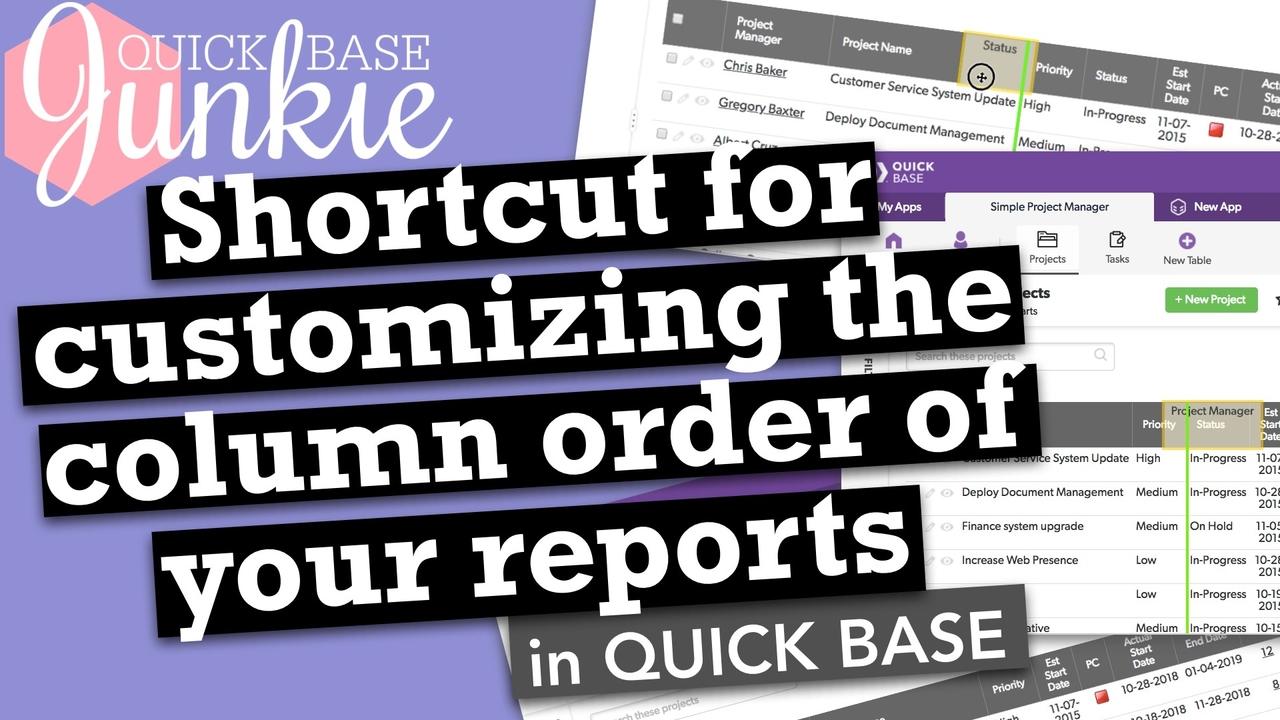 Shortcut for customizing the column order of your reports in QuickbaseSometimes you just need to make a quick adjustment to your report. Moving columns is easy with drag & drop. No need to hassle with the customization settings. Arrange your Quickbase columns with ease. Do you need to quickly compare two columns next to one
 User friendly reports with custom headings in QuickbaseManaging a table with lots of fields can become difficult. Naming your fields with a common nomenclature can make it easier. For example, putting the section name in the first portion of the field name so that common fields are grouped together alphabetically. However, this
 Passing the Quickbase App Builder exam (3 certification learnings)I thought I was hot stuff! I mean I've been building apps longer than some people have been alive. Okay, maybe just people in elementary school, but still. I had initially planned to take the combined App Builder and Expert Builder exams using the free
 Why you should hide fields on your forms in QuickbaseHiding Quickbase fields allows the important information to stand out. Remove the clutter and draw attention to the critical details. Learn how to use form rules to trigger hiding or showing information dynamically. Make any information you want to appear or disappear. Do sections of
 Use formulas to add color to reports in QuickbaseColor coding your Quickbase report rows allows the important information to stand out. Drawing attention to critical details will save time and ignite action. Learn how to add conditional color coding to your Quickbase reports. Make any information you want 'pop' on your table report.
 My first Quickbase (How I fell in love)You'll always remember your first love and you'll always remember your first Quickbase. Oh, wait... is that just me? You know the movie, Jerry Maguire? There is a scene where Jerry (Tom Cruise) shows up at Dorothy's (Renee Zellweger) house and professes his love to
Nothing matches those filters.
Try widening one of the filters.